

Agent-Run Workflows
Generate a scene, edit it, animate the result. You describe the outcome; the AI video generator agent decides which tool each step needs and asks before it spends on video.
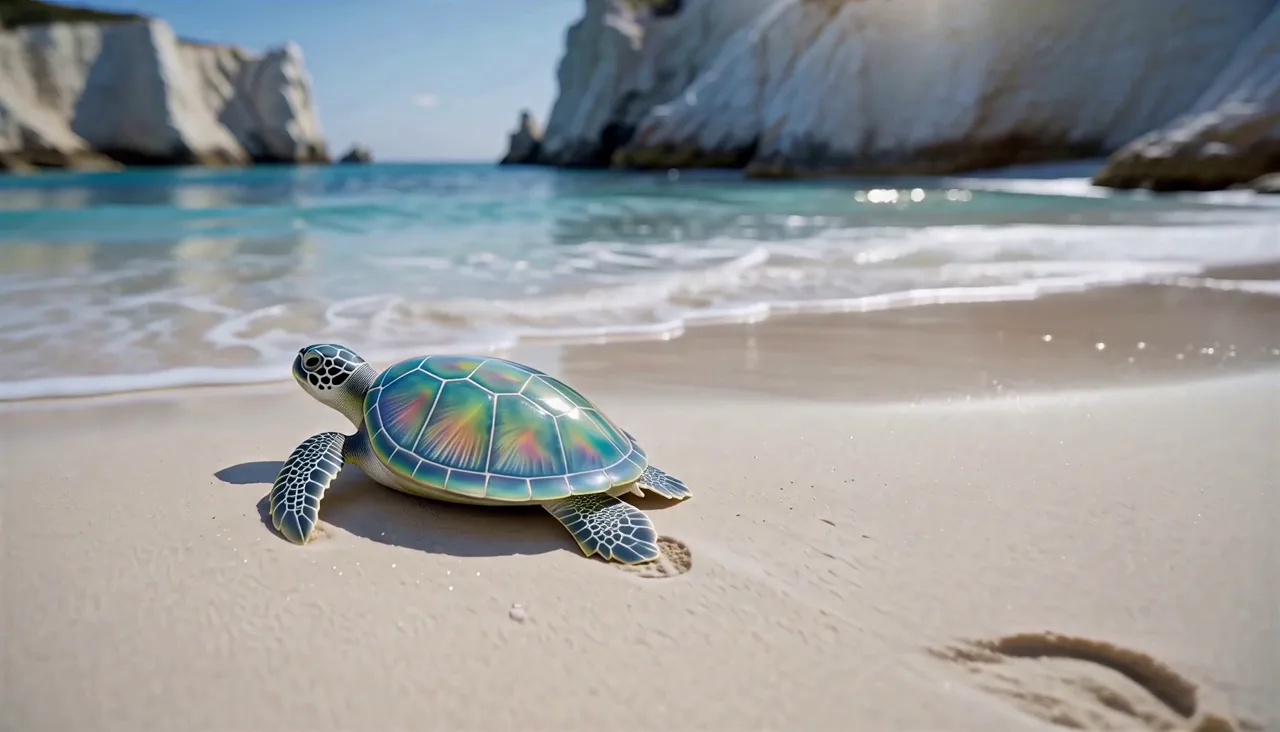
Say“a sea turtle on a sunny beach.” It's made.
Say what you want to see: the AI video generator agent hands back the image, the edit or the clip, ready to post.
Ideas to try
Free credits run SayMaker Image v1, MiniMax H3 Fast, SayMaker Video v1 and Nano Banana 2 Lite. Veo 3.1, Kling 3.0 and 20+ more need a plan or credit pack.
See what a plan unlocks →Turn a rough photo into a studio shot or restyle a whole clip: hand the request to the AI video generator agent or run it in the generator yourself.

You and your person in the orange booth, trading bars at one mic.

One photo, a smile that breaks into tears, then you turn and walk away.

One photo, a bob wig, a 70s suit and the stiff knee-kick shuffle.

Your photo in the luxury life from the TikTok trend, same face.

You on the dock, your pet singing to camera, both of you at sunset.

Upload a clip, keep every move and camera path, recast the whole cast.
Nineteen of them have their own page with examples and prices, and the agent can use all 26 models in the generator. Every one of them is a sentence away.
Three of the most powerful models the AI video generator agent reaches for, each matched to the result it delivers best. Open one now, or name it in a chat.
Nano Banana 2 generates images from words and edits or combines the photos you upload, up to 9 per run, with output from 1K to 4K.
Try imageSeedance 2.5 turns text or a still into one take of up to 30 seconds, sound generated with the picture, at 480p to 1080p.
Try videoVeo 3.1 makes realistic clips with audio at 720p, 1080p or 4K. It is the default video model on a paid account, and 4, 6 or 8 seconds cost the same.
Try videoMost AI video tools are a form: choose a model, fill the fields, press Generate, then start over for the next step. The SayMaker AI video generator agent takes the instruction and runs the steps.
Describe the shot in plain language — or drop in a photo and say what should happen to it. No model to choose first, no fields.
The AI video generator agent works out whether that means generating a still, editing one you already have or setting it moving, then writes the prompt. Any video or multi-step job arrives first as a plan card with the credits for each step.
Ask for a different angle, a longer take or a new look, and keep talking while a video renders in the background. It works from what is already there.
Every clip and image stays in your library at full resolution, ready to download or to become the source for the next edit.
The SayMaker AI video generator agent cuts out the busywork and keeps the price in your hands. Three things that set it apart:
Four ways to make something and two ways to keep working on it, all reachable from the same conversation and all drawing on one credit balance.
Describe the shot and get the clip back, with the credits on the plan card first.
Hand it a still and say what should move: your exact frame comes alive, not a lookalike.
Stills from a sentence, up to 4K, with reference photos to hold a face or product steady.
Swap a background, remove an object or restyle a scene by saying so. No masks, no layers.
"Make her jacket red, then have her turn around" is an edit and an animation, and you only say it once.
Every clip and image stays at full resolution, ready to be the input to the next step.
Your first result is the start of a creative chain: refine it, animate it, reuse it and share it without rebuilding anything.
Generate a scene, edit it, animate the result. You describe the outcome; the AI video generator agent decides which tool each step needs and asks before it spends on video.
Credits are shared across every model SayMaker runs. You see the cost before each run, and a run that fails for a technical reason is refunded.
Your images collect in a library across chats, ready to reuse in a new edit or to share. Chats themselves can be switched from private to a public link.
What people hand the SayMaker AI video generator agent, grouped by the job they are doing.
One product photo becomes a campaign-ready ad: a new setting, then a slow camera move, planned and run by the AI video generator agent in one conversation.
GPT Image 2.5 · Veo 3.1A key frame for the hook, then the same scene animated with sound for the opening seconds.
Nano Banana 2 · Veo 3.1Diagrams and handouts with readable labels on Qwen Image 3, then a short animated explainer clip from the same image when motion helps the lesson.
Qwen Image 3 · Seedance 2.5Vertical 9:16 clips for Instagram, TikTok and YouTube Shorts, several variations of one idea, each priced before it renders.
All modelsStoryboards frame by frame, then 30-second continuous takes on Wan 3.0 or Seedance 2.5 for the shots that must not cut.
Wan 3.0 · Seedance 2.5Concept art and characters in consistent poses, then short animated sequences with Kling 3.0 when the motion is the point.
Seedream 5.0 · Kling 3.0Answers on models, credits, and your first generation.
A chat-based creator for video and images: you describe what you want, and the agent picks and runs the steps on SayMaker's 26 generator models.
It writes the prompts, picks the model and calls the generator. Video and multi-step jobs come back first as a plan with credits; after you confirm, the results arrive in the chat.
Yes, many of the video models generate sound with the picture, including Veo 3.1, Kling 3.0, Seedance 2.0 and 2.5, Wan 3.0 and LTX 2.5. Kling 3.0 Turbo stays silent for footage going under your own audio.
A generator runs one model per click. The agent strings the steps together from one instruction and still shows the price before spending.
Yes, it starts free: sign up and the free credits go straight to SayMaker Image v1, MiniMax H3 Fast video and Nano Banana 2 Lite edits, and every daily check-in pays for another free video. Premium models such as Veo 3.1, Kling 3.0 and Seedance 2.5 need a plan or credit pack.
The agent explains what went wrong and what to change. It retries at most once, stops when the request is blocked by the content policy, and credits for a technical failure are refunded.
The models this agent runs are built by Google DeepMind, Kuaishou, ByteDance, Alibaba, Lightricks and OpenAI. Each maker's own page is linked here, so the resolutions, lengths and audio named above can be read at the source that set them.
Sign up and start chatting with the SayMaker AI video generator agent now, with free credits to spend. Every video starts as a plan you approve, and a technical failure is refunded.